Showing posts with label Blog. Show all posts

Thursday, February 4, 2016

Review of the Microsoft Lumia 950

N.B. This is a reposting of my original article that first appeared on the GMA Network website. I added more photos here since there are no constraints here to the number of photos that I can include and I've also updated this post to address some of the comments on that article. The link to the GMA Network post can be found here.

ーーーーー

昔、昔。。。(Mukashi, mukashi...)

A long, long time ago, I really wanted a Microsoft phone. So as not to reveal my true age, I will not say what model that was. But my point is, I wanted a phone that can do what a bar phone of the time can't do: keep appointments, make a list of my contacts, set reminders, and sync with my PC.

How time flew...

Now we have smartphones that can do most of what full desktop PCs can do. There are cameraphones now that can challenge the photo quality of DSLRs of years past. And more importantly, phones now can keep us connected to any other portion of the globe.

Being an Apple fan, I own an iPhone 6s+ and this device has substituted most of my everyday gadgets.


However, being a gadget guy, I always look at what is on the other side of the divide. I am not an Apple snob, so even if I am an Apple loyalist, I still look at what the other gadget makers have to offer. So, when I was asked to do a review of the Microsoft Lumia 950, I immediately jumped on the opportunity.


So, with that, I would like to say before going any further that my review of this phone will be seen through an iPhone lens, if that makes sense.


The phone has a very nice construction. You put your SIM card in by removing the back cover and by removing the battery. This phone is actually a "dual-SIM" one, so you can actually put two cards at the same time. You can also expand the storage capacity of the phone by using a micro-SD card. The construction of the phone is impressive so even if the back is removable, there are no squeaking sounds when you press the back cover.


Speaking of the back, for all the complaints lodged at Apple for the protruding iPhone camera, this Lumia also has a protruding lens; I didn't mind it with the iPhone, I didn't mind it with this phone.

When you switch on the phone, you will be greeted by a gorgeous screen. Set up is fairly simple though using a phone pin to protect your contents will require you to have a Microsoft account (like live.com, for example). I am guessing that this is required so that you will have a place to send the recovery pin if ever you forget your password.


The built-in apps are extensive enough to make the phone useable and enjoyable out of the box. There are the usual apps like the different office apps, mail, calendar and contacts, to name a few. There is also a music player, an app to dump all of your photos and videos, and, of course, a camera app.

You can assign tiles for the apps that you use most of the time. The level of customization for the look of the “desktop” is highly commendable.

Speaking of camera, this is the one thing that outshines the iPhone outright: the camera of the Lumia is really great and the pictures show great details. I am primarily a gadget photographer, so I was impressed by the Lumia even in low-light conditions. And at 20 megapixels, you will be able to crop photos to re-compose your shot. The photos are auto-processed after each shot and the auto-HDR is really impressive. And what’s more impressive is you can have full manual control of the camera app, like setting ISO, aperture, and shutter speed.

And yes, you can shoot raw photos with this, in DNG format, so you will be able to tweak your shots after the fact without sacrificing the quality of your photos. Take note, though, that shooting in DNG format will produce bigger-sized file sizes.

Shot with the Lumia.

Shot with the with iPhone 6s+.

If you want to get the photos from the phone to your computer, the easiest way to do it is by taking out the micro SD card from the phone and by using a card reader. This is also the easiest way to move music from your computer to the SD card. Otherwise, it’ll be really annoying to move files back-and-forth from the phone, especially if you are using a Mac.

Shot with the Lumia.

Shot with the with iPhone 6s+.

If you take the latter route, transferring photos to a computer was a big pain… My laptop didn’t recognize the phone, nor the SD card, as an external drive so what I did was a round-about way of transferring files: I uploaded the photos from the phone to OneDrive, then I downloaded the photos from OneDrive to my computer. This was a really cumbersome process. Maybe there is a downloadable app from Microsoft that will make the Mac and the phone easily find each other, but I wasn’t able to try it out in the time I had the phone. (Update: Some people pointed out that there is an app that can be downloaded from Microsoft to make the phone and the Mac see each other. As I've said, I wasn't able to test it during the time I had the phone and, secondly, what I would have wanted was to have a "disk mode" for the phone, not necessarily to sync the computer and the phone. I don't like not having that with the iPhone, I don't like not having that with this phone.)

Shot with the Lumia.

Shot with the with iPhone 6s+.

The built-in Maps app looks really good and shows a lot of details, though turn-by-turn direction could use more work.

Oh, I love the keyboard on this device. It’s probably better than most of the third-party keyboards that are available for the iPhone. And this phone uses USB-C, which is a high mark for me. (Update: As of this writing, Microsoft has already bought the third-party keyboard maker Swiftkey, so I am guessing that the Microsoft keyboard will get a lot better...)

Shot with the Lumia.

Shot with the with iPhone 6s+.

As an iPhone user, there are some things that I found very confusing. A good example is the camera trigger button on the right side of the phone. I kept confusing it for the power button so in some of the times I wanted to open the phone, I actually opened the camera app.

Also, putting the phone on silent requires reading the manual… If you don’t want to be disturbed, then you push either of the volume buttons, then press the bell on the left end of the volume bar. And, doing this doesn’t put the whole phone on silent: alarms and reminders will still produce sound! If you want to really put the phone on silent, then you will have to completely turn the phone off! (Update: Note that the last tidbits came directly from the phone manual.)

Aside from the built in apps, there are really not a lot of apps on the Microsoft app store. Twitter has a native app, as well as Facebook, though Instagram is still on beta. YouTube doesn't even have a native app; it’s just a mobile web browser… (Update: People pointed out that there are a lot of third party apps... I am not talking about those here. I am talking about apps made by the companies themselves. It really boggled my mind why Google has not made a YouTube app for the Lumia...)

Shot with the Lumia.

Shot with the with iPhone 6s+.

Oh, I don’t know why I kept seeing the same posts on FB…

The sound produced by the phone was really good though the music app could still use some tweaking. You will have to use earphones though, if you really want to take advantage of the sound quality of the phone. Well, this is true for most phones anyway… And yes, you will have to set the equalizer for you to enjoy the sound. I thought, at the beginning, that the sound produced by the phone was flat, but when I changed the equalizer preset, the phone sounded much, much better.


And yes, call quality sounds great.

Despite the 3GB RAM, the phone is a tad slower than the 2GB-RAM iPhone 6s+. And also, I don’t know if it was just my demo unit or true for all Lumia 950s, but the one I used can get really warm even if I wasn’t actually using it. (Update: Some people pointed out that the phone did not get as warm after they updated the OS. I did not get that chance in the time I had the phone... Oh, I don't think I ever said anything about battery problems either...)

Battery life lasted the whole day through my usual usage (LTE, wifi and bluetooth always on; about four to five hours of cumulative reading twitter and FB and website browsing, plus emails and listening to music).

And, oh, I absolutely loved unlocking the phone using the iris scanner!


I can see myself using this phone. I will recommend this highly for those people who use two networks but don’t want to use two phones. And though there are far fewer apps for the Lumia, the apps that came with the phone out of the box will still make this device a compelling choice. And if you are a user of the different Microsoft tablets/computers, the look and feel of this phone will make you feel immediately at home.

Highly Recommended!


Tuesday, May 28, 2013

The ThinkTank Photo Airport Essentials Review

In this day and age, everyone has at least one mobile device: the smartphone. However, it is no longer unusual to find a person have an iPhone, an iPad and a MacBook - or variants of such. Add to that the various camera gear that a dedicated photographer would need to bring. All of those things summed up could be a great cause for a headache when you want to move around.


So, if you want to bring a lot of stuff, you need a sturdy bag that will be able to handle all the beating! A bag that has a sturdy construction, with strong zippers, and a means to secure the contents, just to name a few...

Enter the ThinkTank Photo Airport Essentials camera backpack!

It is an understatement to say that you can put a lot inside this bag. To give you an idea of what it can hold, ThinkTank Photo provides all customers with a picture of what the bag can carry. And the bag can carry a lot! Just to give you a comparison, I put the ThinkTank Photo Airport 4-Sight beside and behind the Essentials. As you can see from the pictures, the two bags are almost the same! So what you can put in the 4-Sight, you can essentially put in the Essentials. And the 4-Sight can actually hide behind the Essentials and only the former's handle will show. It is that big! (And yet the Airport Essentials is not the biggest bag in the series; if you want to carry more, you can get the Commuter, Accelerator or Takeoff).


However, despite the size and the capacity, the Essentials can still fit underneath airplane seats, a boon for those who fly a lot but who do not want to check in their expensive camera gear.

The shoulder straps are thick and you can even attach some small accessories to them. There are handles on three sides in case you don't want to put the bag on; the handles can also be helpful if you have a full bag and you want to stash the bag in the overhead bin on an airplane.

There are sternum and waist straps to distribute the weight of the bag. It has a contoured back enabling air to flow - this is especially helpful during summer or if you are gonna make memories somewhere in the tropics.


There are removable straps that will enable you to attach a full-sized tripod. And of course, there is a lock built into the bag so you can secure your precious stuff. However, there is only one lock so you choose to secure either the front compartment or the main compartment.


And what can you put in the front compartment? A 13-inch MacBook Pro and a full-sized iPad! Yes! Both! Now you don't need to think about using a second bag to put your "other" gadget in: all your gadgets can be stored in one bag! Very nice!


And of course, the construction of the bag is top-notch and the bag is very sexy. I expect nothing less from ThinkTank Photo. Really, you cannot go wrong with any of the brand's products. Everything is well-made and expertly designed.


Just a final note: if you are going to fill this bag, make sure that you have the upper body strength to lift it and to walk around. Say you are going to bring two DSLR bodies, four lenses, two speedlites, a 13-inch MacBook Pro and an iPad, that's a whopping 20 pounds or so! Not to mention chargers, chords, etc. These things can add up! So make sure you hit the gym constantly if ever you want to lug around a full bag. Otherwise, get the roller. Your back will thank you for it. (For my review of the 4-Sight, check out the link below.)


This bag is Highly Recommended!

Special thanks to Brian Erwin for providing the bag. Much obliged!

And extra special thanks to the wife for assisting with the photos. Can't do these review without you, literally and figuratively. :)


Get yours here:


------------
To see how I made the product photos here, check the technique I used in this post.

------------
Gear used to make this post:

-- Canon Powershot G15 (Reviews Part 1 and Part 2)

Monday, November 26, 2012

Canon G15 Review - Part 2 - Image and Video Quality and Real World Use

(Part One of my review, Hardware and Features, can be found here.)

Ok, I'll put the obvious out right away: I love this camera and the photos made by it are gorgeous...


Now to justify that statement...


I said that one of the reason why I chose this camera is the large maximum aperture on either the wide end or at the telephoto end. With this large opening, bokeh is creamier and use of high ISO is not always required.


As you can see in these doughnut photos, the large aperture makes subject-to-background separation easier. Macro photography benefits well from having a large aperture.

At low ISO values, the photos are very clean.

However, even at high ISO values, noise is kept to a minimum. Photos are useable up to ISO3200 but noise becomes really noticeable at ISO6400 and, in my opinion, unacceptable at ISO12800. However, if you are just going to post photos online, like in Facebook, then you can use photos at such extreme values. Don't worry, you will not be the first to post a very noisy photo in Facebook... Or instagram...

In the photo below, the base photo has an ISO value of 12800 and the photos with different ISO values are marked accordingly.


And speaking of high ISO, when you are at either of the advanced P-, Av- and Tv-mode, you can set the camera to set the ISO used for each shot. The auto ISO value ranges from ISO80 to 1600. When you are at full manual, you set the ISO explicitly.

The G15 can shoot RAW photos but when you do so, some of the features become unavailable. An example of such a feature is the ability to substitute one color to another.

And with the ability to shoot RAW, I loved the G15 more. However, I love the photos that come out of the camera that I am thinking of shooting purely JPEG photos with the G15... (Shivers with the thought...) The reason I'm shooting JPEGs right now is because Adobe hasn't put out an updated Camera RAW software that can read proprietary photos from the G15.

There is an optical viewfinder but, as I've said in Part 1 of this review, it is essentially useless because of parallax in what you see through the viewfinder and the photo made by the camera. Just look at the photo below: it is supposed to be centered when I looked at the ref magnet in the viewfinder; the photo made by the camera has the magnet away from the center. Oh, and those other magnets? I did not see these in the optical viewfinder...


The parallax gets worse when you shoot macro: again, the refrigerator magnet is at the center, in full view, when I looked at the viewfinder - exactly at the center; the photo produced...


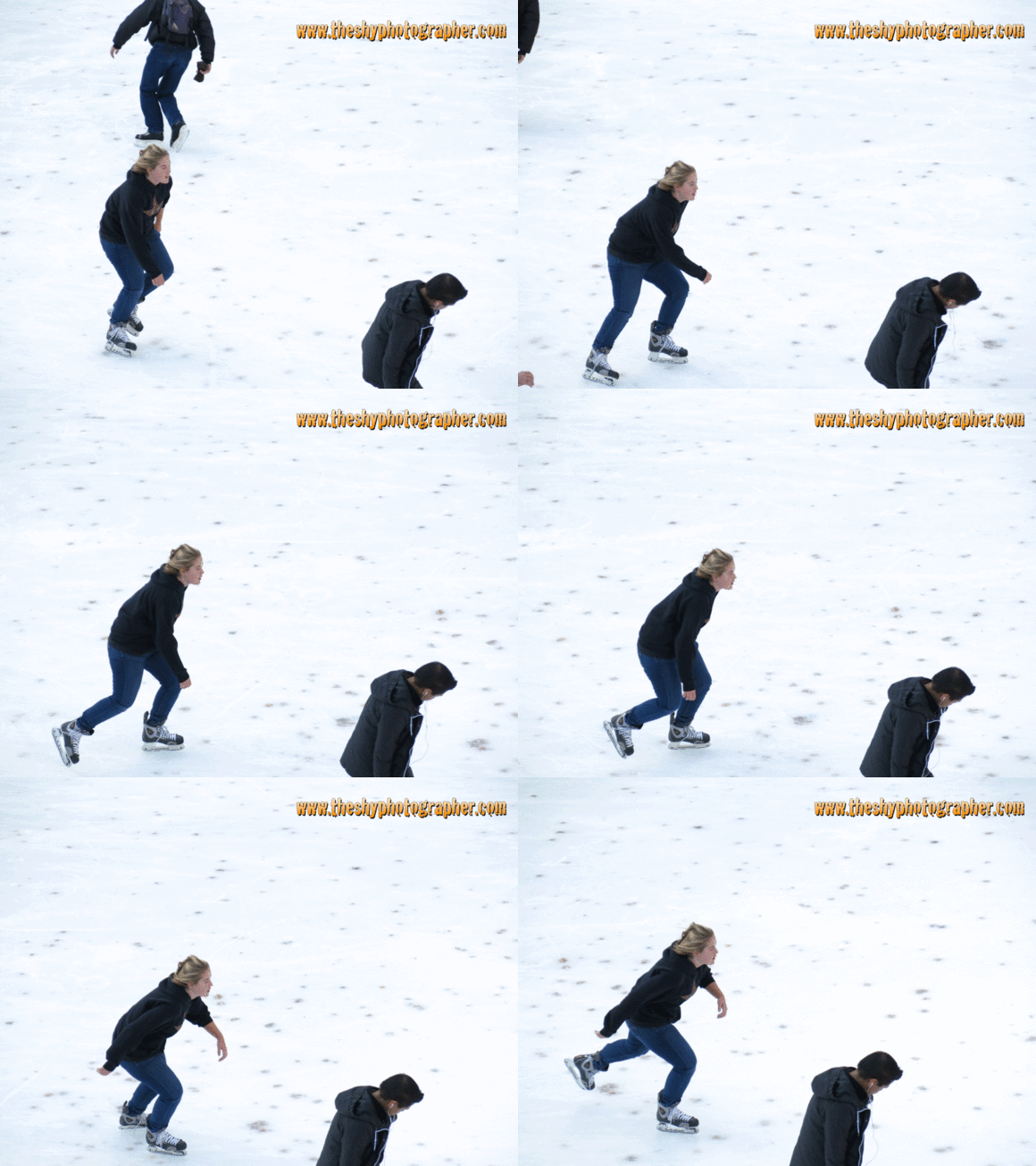
The only time I find the optical viewfinder really useful is when I use it for continuous shooting mode. With the optical viewfinder, you can continuously track your subject, something that's very important if your subject is moving relatively fast. I show this feature in the animated GIF below.

Follow Focus

Oh, speaking of tracking, the camera locks to the subject for as long as you hold the shutter down (and until the buffer fills) - even if other things enter the picture, the subject is still the one in focus. I show this in this animated GIF.

Focus Lock

With the high-speed burst, you can even photograph people jumping!

Photobucket

Now, the animated GIFs here are made using one of my now favorite feature: the High-Speed Continuous Shooting. In this mode, the camera takes ten full resolution JPEG photos in one second. This feature, take note, is not available in RAW. Well, I don't think the camera has the processing power to make ten RAW photos in one second...

My other favorite feature is the HDR mode. In this mode, the camera takes 3 photos of different exposure values and merge it to one. The thing is, the individual files are not saved and only JPEG photos are made.


Make sure though that you use a tripod, or something to stabilize the camera, or else your HDR photo will be blurred, which you can see from the shot below.


The G15 can of course shoot videos and it can shoot up to Full HD at 24fps. (Side note, the lady pointed at me in the video. I wasn't paying any attention to them at the start so they called me out before their performance. And during... hehe.)


Some of the special effects, like miniature, nostalgic, monochrome, and color accent can be applied to the video in-camera. I wish I could shoot videos in fisheye effect though... That would've been fun.


When you're shooting video, the camera has a mind of its own for you cannot change the exposure values while shooting. So, as I've said in the clip, if you have a predominantly white photo, the camera will underexpose the scene making it more grey. Your only solution is to lock the exposure before you shoot the video. That's it. Oh, and you can now zoom while filming, something the G12 could not do.

Image stabilization of the camera is very good: I have keeper shots with shutter speeds as slow as 0.4s. However, the number of useable shots greatly decline for shutter speeds longer than this.


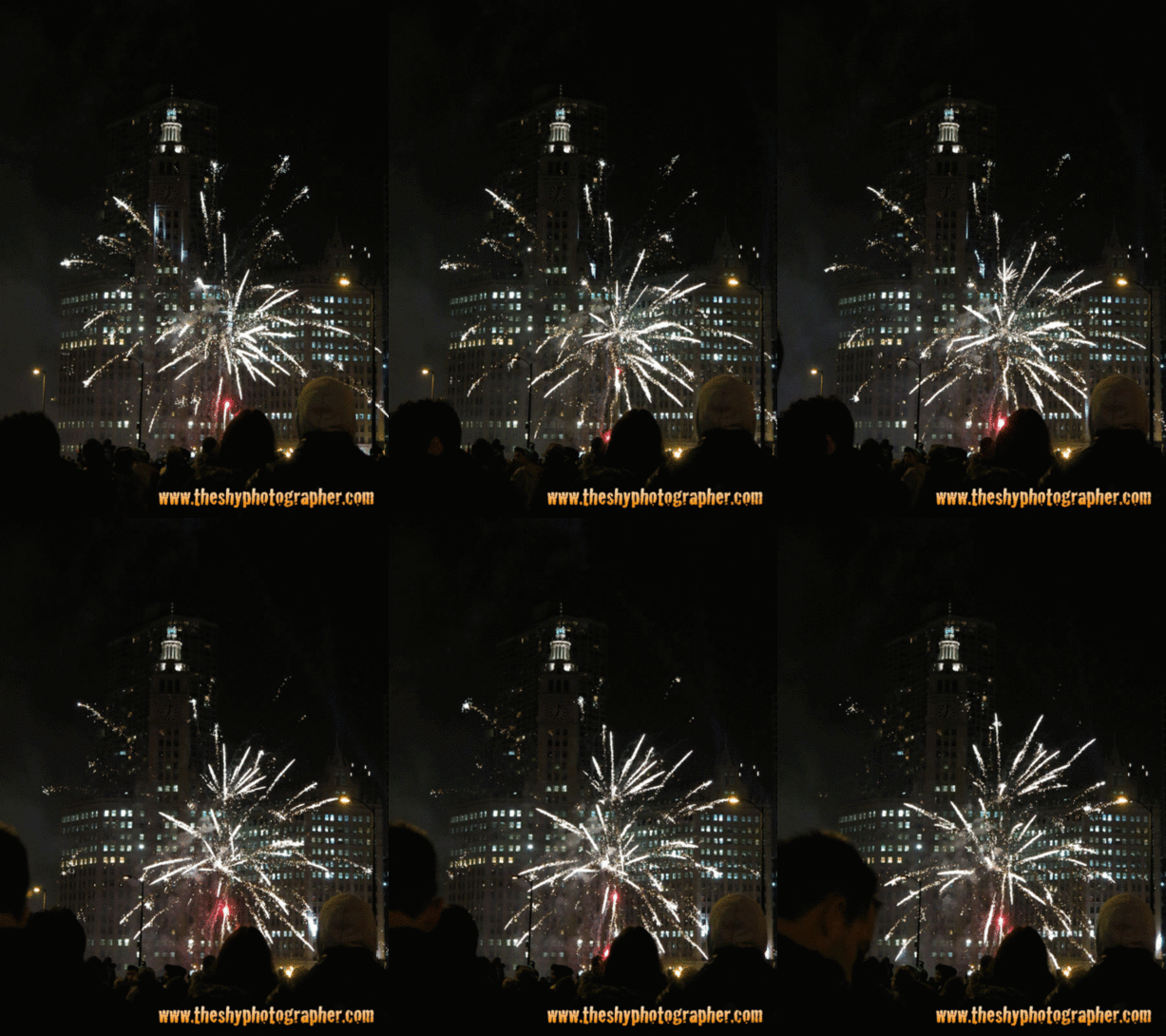
And how good is this camera? Well, with a tripod, you can actually shoot fireworks with this. All you need is a sturdy tripod and a place to stand. Oh, as I've said in part 1, the shutter speed maxes out at 15 seconds, so take note of that. And if the shutter speed is more than 1 second, the camera defaults to ISO100. I think this is a good idea on Canon's part - a low ISO will make long exposure photographs much cleaner.


Take note, though, that the focus could hunt back-and-forth when you're aiming at nothing, IE before the fireworks explode. So you should set the camera to manual focus, something that I should have done (and something that I actually do when I shoot fireworks with a DSLR). Also, as with any long-exposure photography, a remote is a must so that you do not touch the camera when you take the picture. Well, I didn't have a remote then, something that I also use when I shoot fireworks with a DSLR -- lessons learned...


And remember that feature that lets you shoot up to ten high-resolution shots in one second?

Magnificent Mile Lights Festival Fireworks

The main difference with the animated GIF and fireworks photos above is the length of the trail left by the fireworks. The longer the exposure time, the longer the trail would be. Just don't overdo it or your photo will be overexposed.

Lastly, I was greatly impressed by the battery life in this camera. I shot about 300 shots, about 10 2-minute videos and the battery still hasn't shown any signs of declined capacity. I hope the battery will last like this for a long time...

The camera is not perfect. There is no such thing. But for me, the things that I do like far outweigh the things that i do not. So, I will still give this camera a Highly Recommended rating!


So get yours here and do not let this CyberMonday go to waste; I'm sure you'll enjoy this camera very much:


------------
Gear used to make this post:

Labels

Photography Chicago There's Always A Shot Review Philippines Gadgets Outdoor Photography Accesories Metro Manila Street Photography Events Photography Inspiration Photo Journalism Summer Photography Advice Travel Winter Accessories Photography How-to Portraiture The Wife Apple Autumn Shot A Million Times iPhone Video Review Product Review Holidays Long Exposure Spring Architecture Princeton iPhone Accessories Inspiration Taguig Art Indoor Music iPod Canon Cameras Event Fireworks Photography Technique Photojournalism How-to Museum Product Photography Books Fine Art Fitness Health Personal iPhone photography Flowers Fujifilm Panorama iPhone Photo Blue Hour #MoreFunInThePhilippines Food Photography Landscapes Lenses Filipino Fujinon Launch Mac Shoes Sony California HDR Japan Makati City Musings Navy Pier Night Photography Photoshop Science iPad Android BGC Bags Blog Contest Family Fashion Fitbit Friends Internet Motion Blur Non-iPhone phone Road Trip Running Sunset USA iPad Accessories iPhone Apps Animated GIF Apple Accessories Battery Bluetooth Cebu Cycling Dance Earphones Food Garmin GoPro Gym Home Luzon Macro Natural Light Photography Outdoor Run Pageantry Parade Quantified Self Quezon City Smartphone Sports Tabletop Photography Time Lapse Video Videography Workout iOS 4K Advice Anime Animé App Review Apple Watch Architectures Asia Athletics Beach City Scape Cosplay Dining Drop-proof case Duathlon Editorial Emotion Flower Globe GoProMax HD Halloween Holy Sites Home Theater Hyperlapse Joby Laptop Accessories Learning Long Zoom Love Lowepro MacBook Manga Manila Milky Way Mind Museum Minnesota Mobile Phone Mobile Phone Photography Movies North Luzon Orange PSHS Pasay City People Photography Event Post-Processing Power Rain Requests SM MoA Samsung Satire Sound Speakers TPLEX Tagaytay Tanay Televisions Temples There is always a shot Walking Workshop iPhone Case iPhone Xs Max

Comment Guidelines

Keep all comments relevant to the original post. Do not post comments which contain profanity, hate speeches or solicitations of any kind. Posting comments to this blog constitutes your agreement to adhere to these guidelines.